
Web Design
How-To
Free Tools
How I Compress Images for My Website in 1 Minute (Free!)
My images were heavier than my laptop bag. So I found a free tool that made them about 5 times lighter in one minute, and my pictures still look beautiful.
By Mariam • • 5 min read
Recently, I made beautiful images for my website with ChatGPT. I was so happy with them! Then I checked the file size. Each image was more than 1 MB. One image alone was heavier than my whole home page should be. 😅
Heavy images make a website slow, and nobody likes a slow website. So I needed to compress images for my website, quickly and for free. That is when I found Squoosh.
Honestly? I thought it would take hours. But wow, it was so easy. I finished all 7 images in less than 10 minutes, and I was smiling the whole time.
Why You Should Compress Images for Your Website
Think of a heavy image like a big suitcase. Your visitor has to carry it every time they open your page. So the lighter the suitcase, the faster they arrive.
People Leave Slow Pages
If a page takes too long, visitors simply press the back button.
Google Loves Speed
Page speed is part of how Google judges your website.
Mobile Data Matters
Most people browse on phones, and nobody wants to waste their data.
My Real Results: Before and After
Here is exactly what happened to my 7 website images. No fake numbers, these are my real files:
Before
Each PNG image straight from ChatGPT
After
Each image as WebP, and it still looks sharp
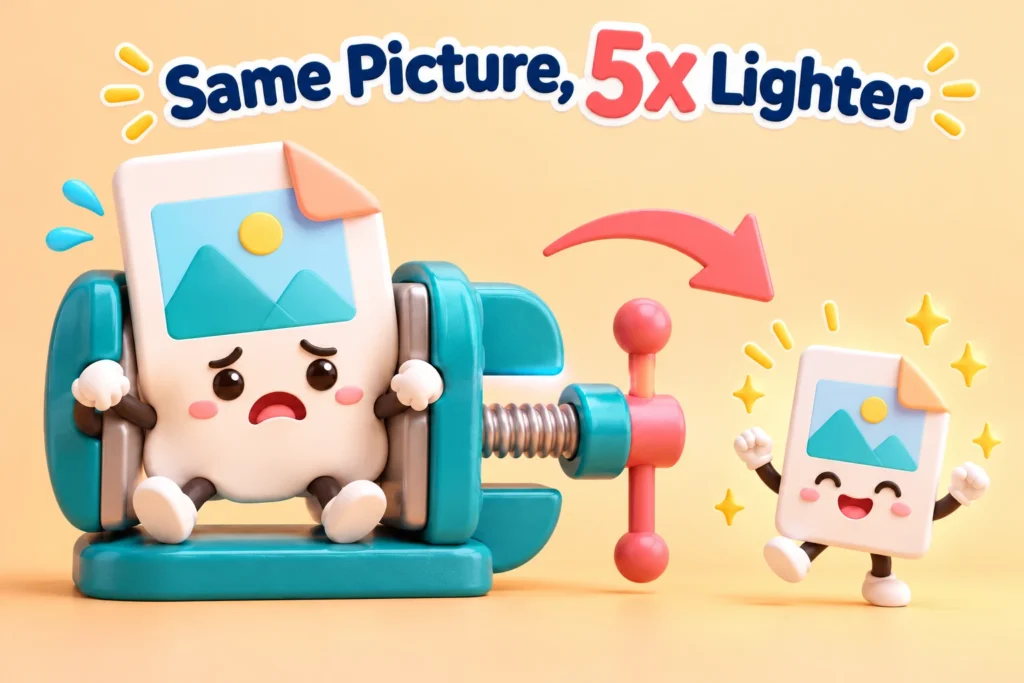
My images lost a lot of weight, and they still look great!
My smallest image ended up at just 169 KB and the biggest at 245 KB. Together, all 7 images are now lighter than just one of the old ones!
What Is Squoosh?
Squoosh is a free image compression tool made by the Google Chrome team. It works right inside your browser, so you do not need to install anything or create an account.
And here is my favorite part: your images never leave your computer. Squoosh does all the work on your own device, so your pictures stay private.
Why I love it: free, no sign-up, no watermark, and you can see the before and after side by side with a little slider.
How to Compress Images for Website With Squoosh: 5 Easy Steps
Grab a cup of chai. By the time it cools down, you will be done. ☕
Open Squoosh
Go to squoosh.app in Chrome or any modern browser. That is it, no login needed.
Drop Your Image
Drag your image into the page, or click to choose it from your computer.
Choose WebP
On the right side, open the format menu and pick WebP. It is light and works in all modern browsers.
Set Quality and Size
Set Quality to around 75. Then open Resize and keep the width around 1200 to 1600 pixels for website images.
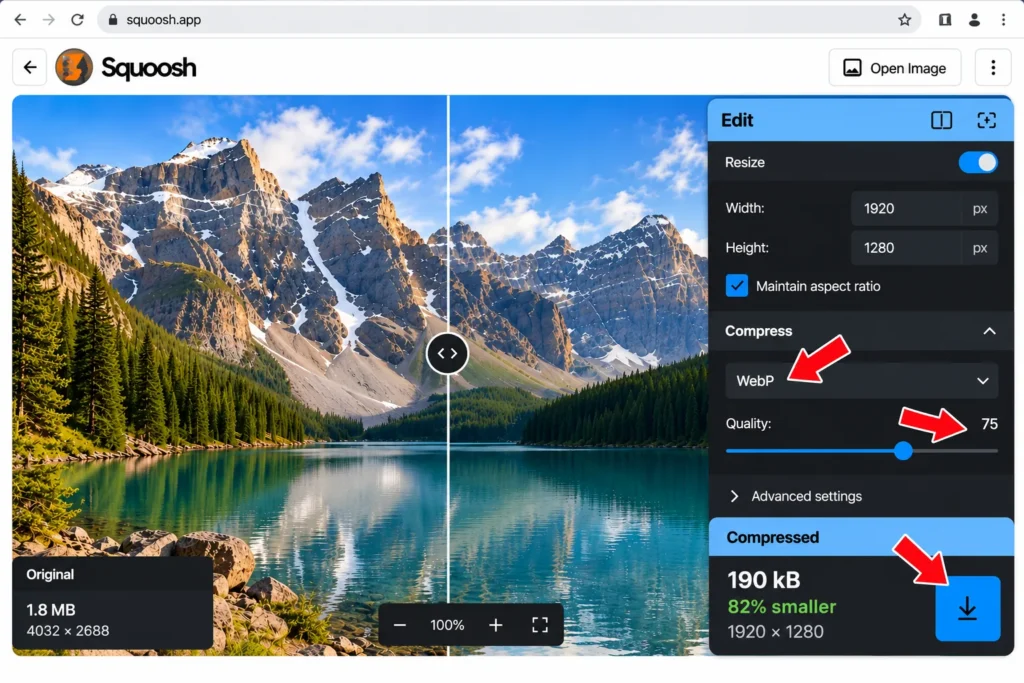
This is how Squoosh looks: the slider shows before and after, and the right side shows WebP, Quality 75 and the new size.
Download and Rename
Click the download button. Then rename the file with simple keywords and dashes, like my-topic-name.webp.
My Funny Little Mistakes (So You Don’t Make Them)
The .webp.webp File
I named one file image.webp.webp by mistake. So always check the name after downloading!
The Potato Picture
If you push Quality too low, your photo starts looking like a potato. So stay around 70 to 80.
The Giant Width
A 4000-pixel image on a blog is like an elephant in a small room. Resize it first.
How Much Did I Really Save?
After downloading, I opened my folder and compared the old and new files side by side. Honestly, I laughed out loud. The difference was huge!
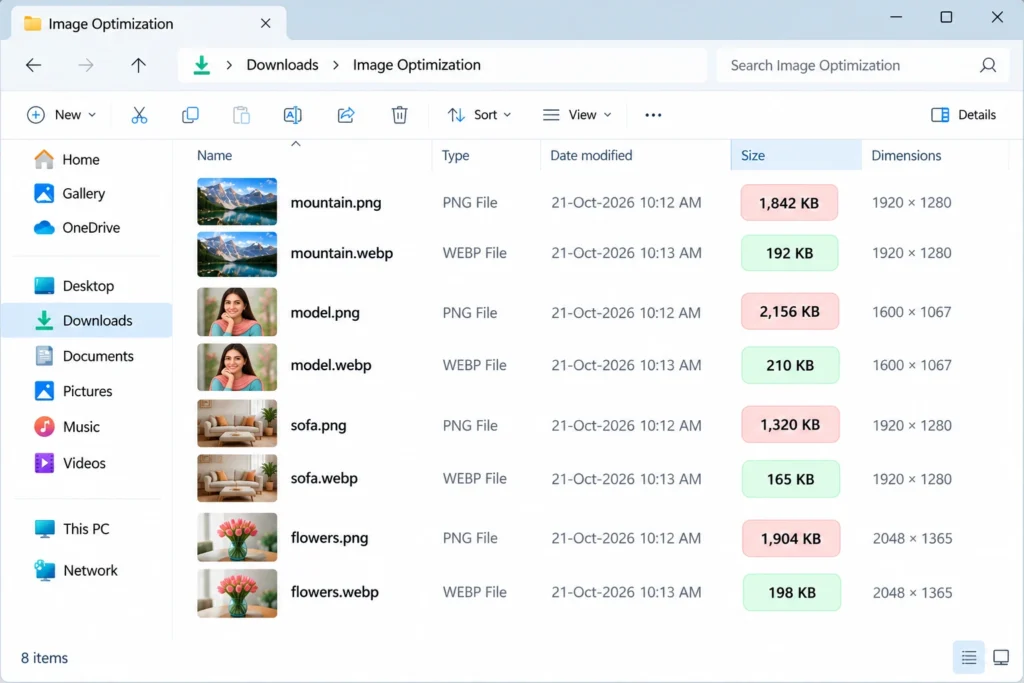
Example: heavy PNG files next to light WebP files. Look at that size difference!
Pro tip: after uploading, always add alt text to your image in WordPress. It helps Google understand your picture, and it helps people who use screen readers too.
Squoosh Questions, Answered
Is Squoosh really free?
Yes, it is completely free. There is no sign-up, no watermark and no limit on how many images you compress.
Is Squoosh safe to use?
Yes. Squoosh works on your own device, so your images are not uploaded to any server.
What are the best Squoosh settings for a website?
For most website images, choose WebP with Quality around 75, and resize the width to about 1200 to 1600 pixels.
Can I compress many images at once?
Not in the Squoosh website. You do one image at a time. But it is so fast that 7 images took me less than 10 minutes.
Final Thoughts
If someone told me last month that I could make my images 5 times lighter in one minute, for free, I would not have believed them. But here we are! 🎉
So now it is your turn. Pick one heavy image today and compress it with Squoosh. Small steps like this make your website faster, and they make you more confident too.
Happy squooshing,
Mariam
Try It Today
Challenge Time! 🏆
Compress one image today and tell me in the comments: how many KB did you save? I want to see whose image lost the most weight! 😄