Web Design
Hosting
Beginner Friendly
How to Buy Hosting in Pakistan: My Simple Hostinger Guide
Every website needs a home, and that home is called hosting. Here is how I buy hosting in Pakistan from Hostinger, step by step, without wasting money on things you don’t need. 🏠
By Mariam • • 7 min read
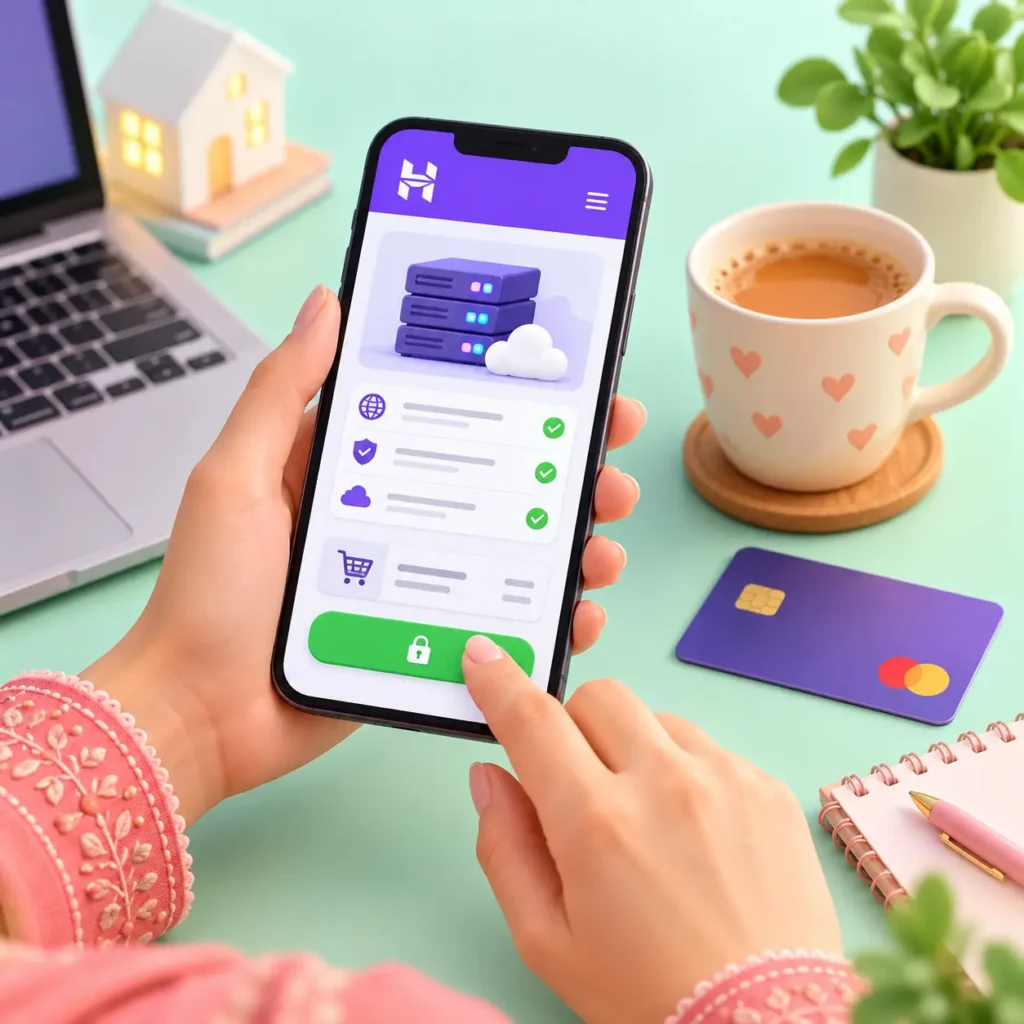
In this guide, I will show you how to buy hosting in Pakistan from Hostinger, the same hosting this website lives on. Together we will pick the right plan, choose the months, pay with a Pakistani card, and set up your account. After that, your website is ready to build with my step-by-step website guide.
What You Need to Buy Hosting in Pakistan
Keep These Ready
An email address, or your Google account
A debit or credit card with online international payments turned on
Your domain name, or at least your domain name idea
15 quiet minutes (and yes, chai ☕)
What is hosting? It is a computer that stays on 24/7 and shows your website to the world. You simply rent a little space on it, every year.
Why Hostinger? It is beginner friendly, it installs WordPress for you, and it gives you free SSL (the little lock in the address bar). Also, it is what I use for this very website.
Which Plan to Choose When You Buy Hosting in Pakistan?
When you buy hosting in Pakistan from Hostinger, the plan names can confuse you. So here is my simple version:
Premium
Perfect for your first website, a portfolio or a small business. This is my pick for beginners.
Business
For a growing business website that needs more power and extra features.
Cloud Startup
For big websites with lots of visitors. You don’t need this at the start.
My tip: Start with Premium. Later, if your website grows, you can upgrade with a few clicks. There is no need to pay for power you won’t use yet.
What About the Domain?
Free Domain or Your Own? 🌐
Many Hostinger plans include a free domain for the first year when you buy 12 months or more. That is a sweet deal, but remember, from the second year you pay the normal domain price.
You can also buy your domain separately, for example from Namecheap. I explain that step by step in my domain guide.
How to Buy Hosting in Pakistan: 10 Easy Steps
Ready? Open your laptop or phone, and let’s buy your website’s home together.
Step 1
Open Hostinger
First, go to Hostinger. In the top menu, click Hosting and choose Web Hosting. You will see all the plans side by side.
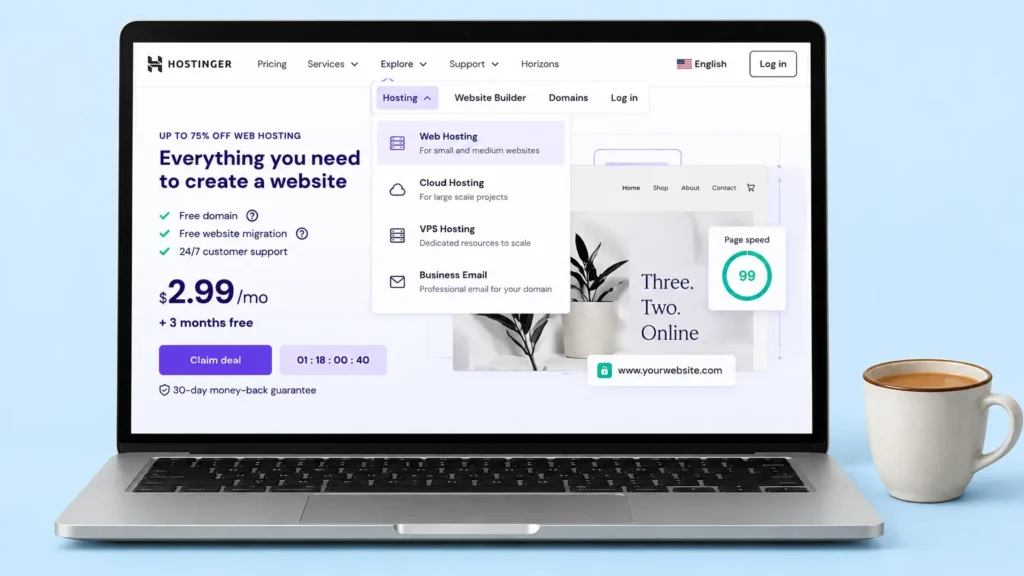
The Hostinger website with the Hosting menu.
Step 2
Choose Your Plan
Next, find the Premium plan and click the button under it. Don’t worry, nothing is paid yet. This only opens the cart.
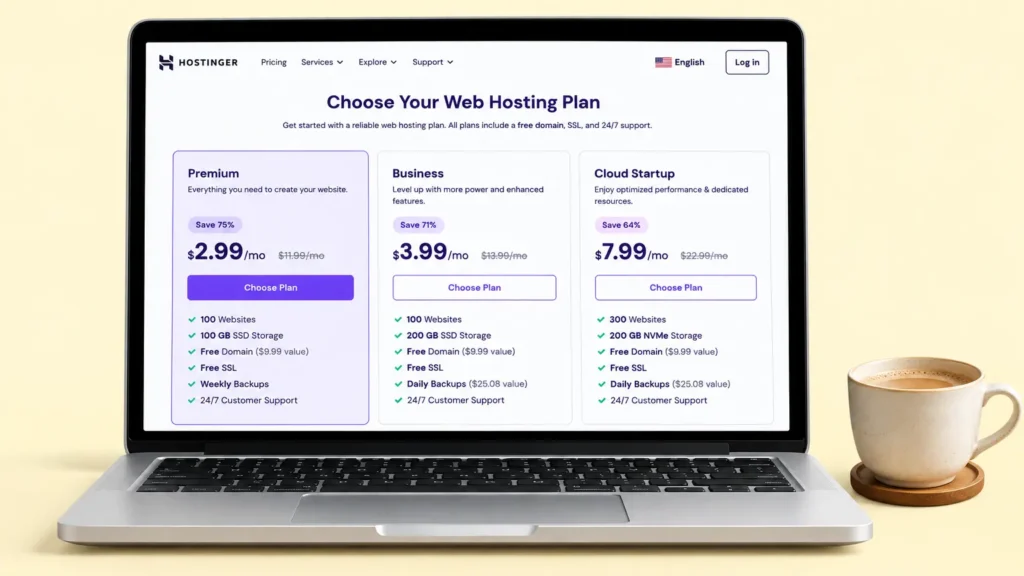
Premium is the best start for most people.
Step 3
Pick How Many Months
Now choose 1, 12, 24 or 48 months. Longer plans are cheaper per month, but you pay the full amount today. For a first website, I suggest 12 or 24 months.
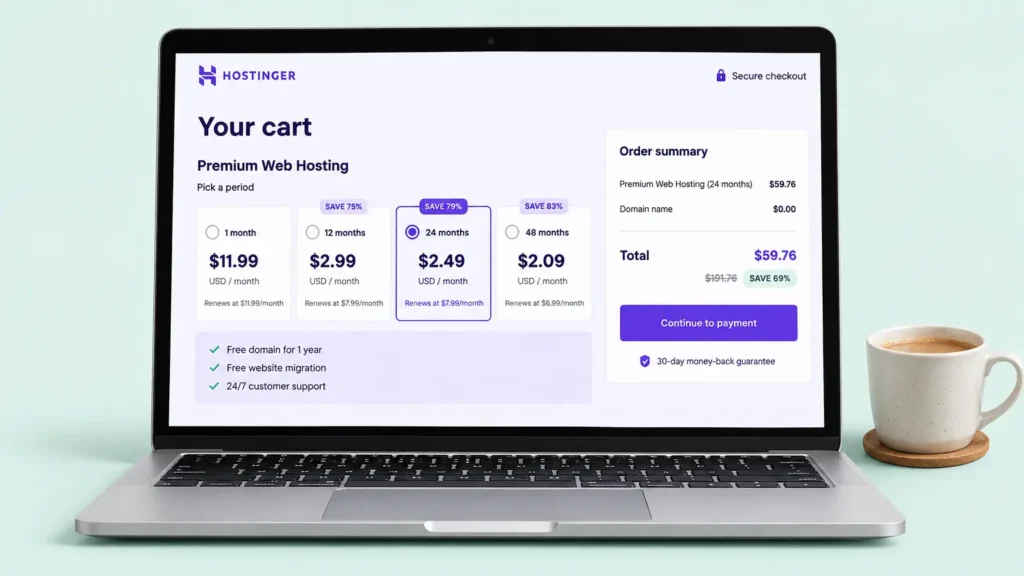
Choose your months in the cart.
💡 Honest warning: The first-time price is a discount. When your plan renews, the price is usually higher. So always check the renewal price before you pay.
Step 4
Create Your Account
After that, write your email address, or simply sign up with your Google account. This becomes your Hostinger login.
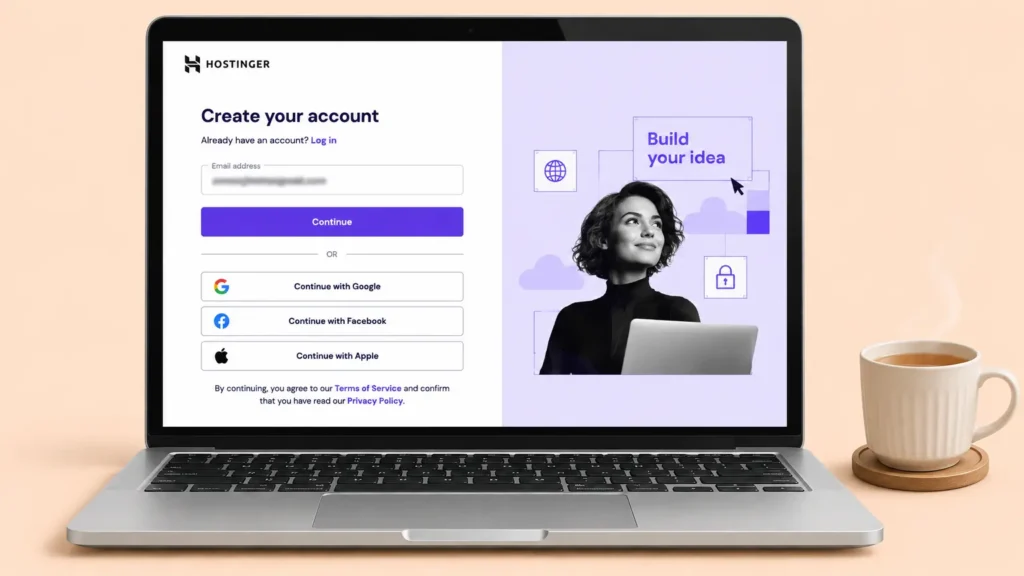
Sign up with your email or Google.
Step 5
Check Every Tick Box
Before paying, look at the cart carefully. Free items, like the domain, domain privacy and SSL, are good to keep. But if you see any paid extras you don’t understand yet, untick them. For a first website, you don’t need them.
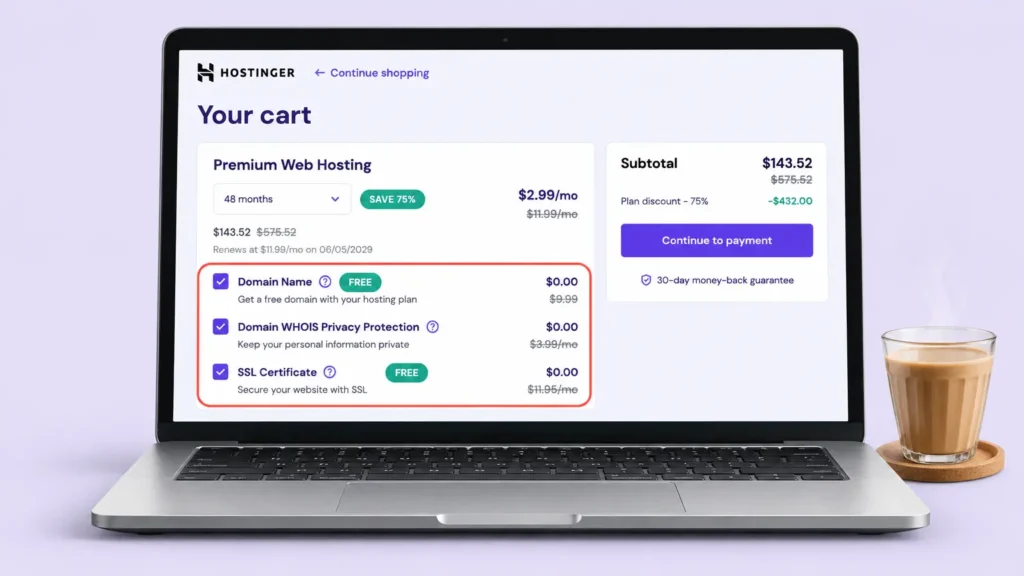
Read the cart before you pay.
Step 6
Pay With Your Card
Now choose your payment method, type your card details yourself, and click Submit Secure Payment. If the payment fails, it is usually your bank blocking international payments, so turn them on in your banking app and try again.
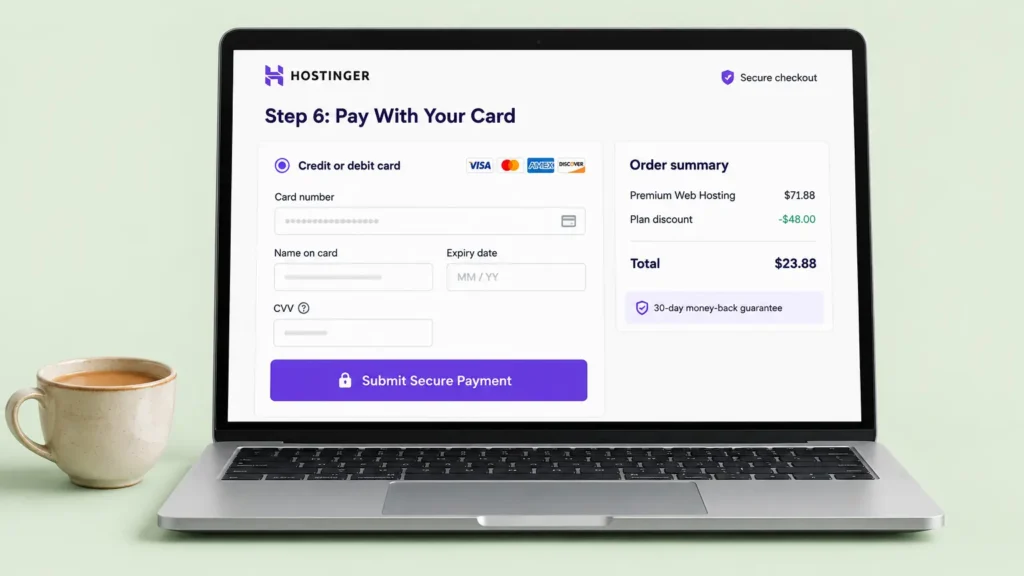
Type your card details yourself, and never share them.
Step 7
Set Your Password
Then Hostinger asks you to Set New Password. Make a strong one and click Confirm. (If you signed up with Google, you will skip this step.)
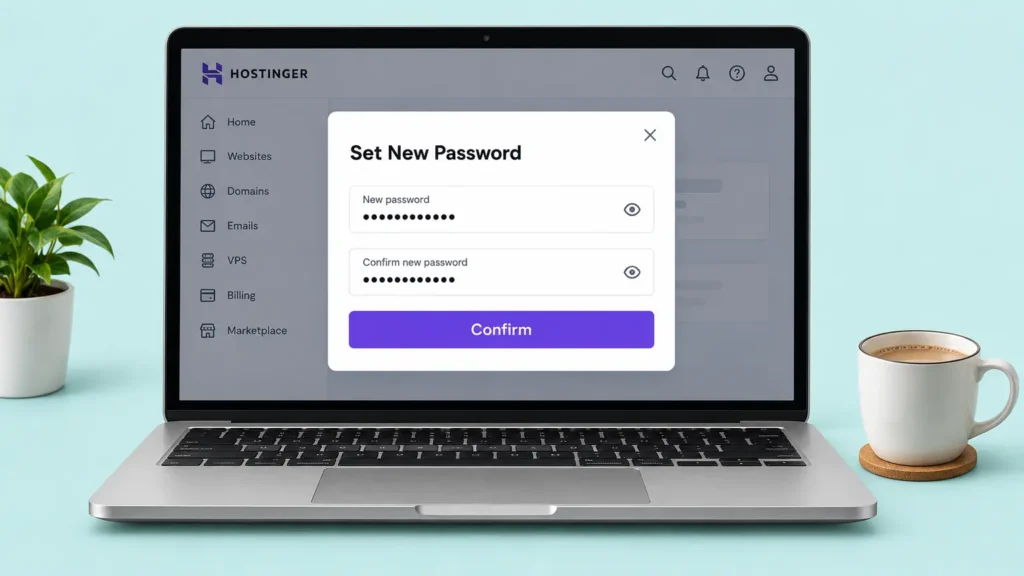
A strong password keeps your website safe.
Step 8
Add Your Account Information
Next, click your profile icon at the top right and open Account Information. Add your phone number, and turn on two-factor authentication for extra safety.
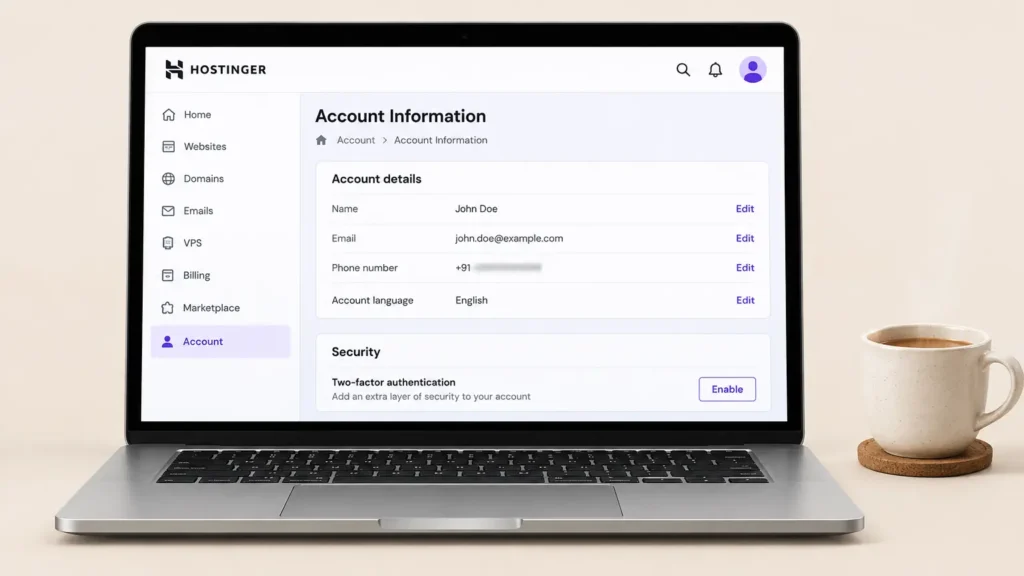
Your account details and two-factor security.
Step 9
Claim Your Free Domain
If your plan comes with a free domain, claim it now. Search for the name you want and finish the steps. Already have a domain? Then skip this and connect it while creating your website.
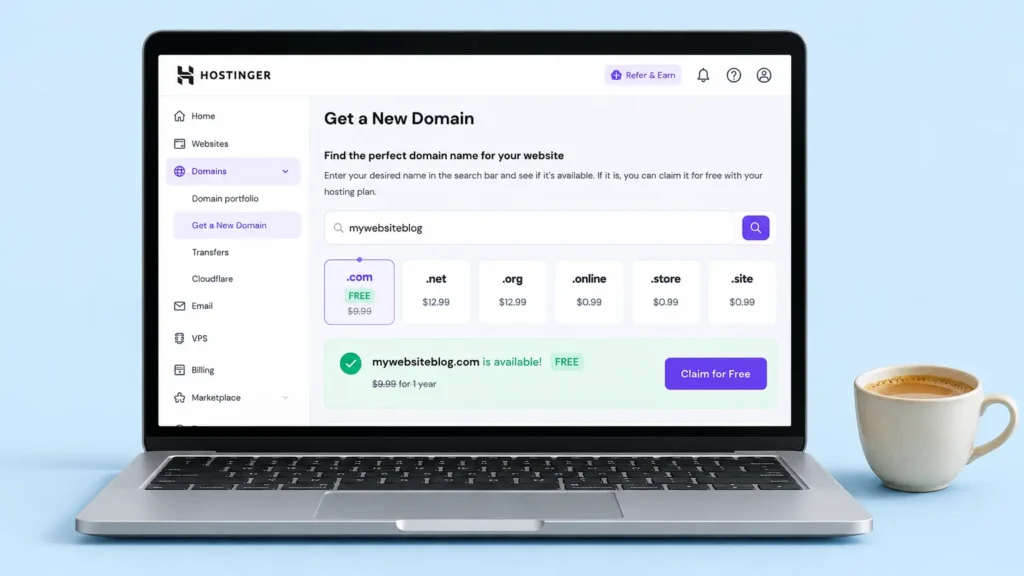
Search for your name and claim the free domain.
Step 10
Start Your Website
Finally, open Websites and create your website. From here, follow my website guide, where I install WordPress, Astra and a ready-made template with you, step by step. 🎉
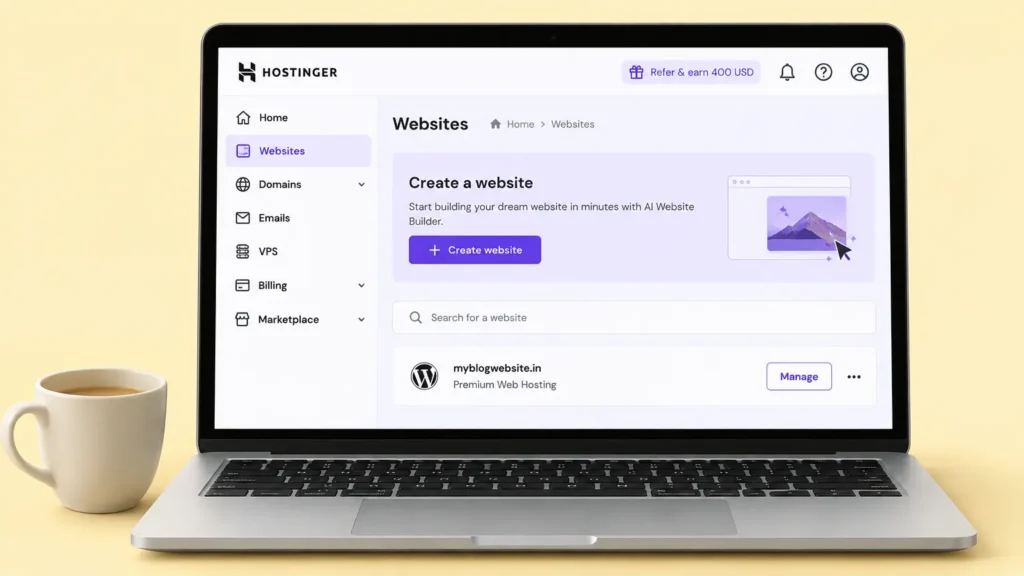
Your hosting is ready, so now the fun begins!
My Money-Saving Tips to Buy Hosting in Pakistan
When you buy hosting in Pakistan, remember it is not a one-time thing. So these little habits save money and tension every year.
Smart Buyer Rules
Always check the renewal price, not only the first price.
Don’t buy extras you don’t understand yet.
Turn on two-factor authentication on day one.
Save your invoice email in a safe folder.
Set a phone reminder one month before your renewal date.
Quick Questions
Can I buy Hostinger hosting from Pakistan?
Yes. You can buy it from Pakistan with a debit or credit card that allows online international payments.
Can I pay without a card?
Payment options depend on your country and currency, so you may see other options at checkout. Still, a card with international payments turned on is usually the easiest way.
Which Hostinger plan is best for beginners?
Premium. It is enough for a personal website, a portfolio or a small business, and you can upgrade later.
What if I change my mind?
Hostinger offers a 30-day money-back guarantee on hosting. However, read their refund terms first, because some things, like domains, may not be refundable.
Is the price the same every year?
Usually not. The first term comes with a discount, and the renewal price is higher. That is why I always check it before paying.
Final Thoughts
Buying hosting feels scary the first time, I know. There are plans, months, prices and tick boxes everywhere. But now you know the secret: pick Premium, choose your months wisely, check the renewal price, and pay with a card that allows international payments.
Once your hosting is ready, your website already has a home. Now it only needs a name (your domain) and some furniture (your design). And for that, my website guide is waiting for you. 😊
With love,
Mariam
Tell Me
Got Your Website’s Home? 🏡
Did you buy your hosting today? Tell me in the comments which plan you picked. And if you get stuck anywhere, ask me there. I reply! 💬