
I Built a Website With AI in One Night: Here’s What Really Happened
One night, a few cups of chai and an AI helper. This is the honest, funny and real story of how I built a website with AI and gave Fresh Idea With Me a brand-new look.
By Mariam • 6 min read

It was a little after midnight. My chai was getting cold, my laptop was open, and one big question was spinning in my mind: can AI really help me build a proper website?
I have been designing websites for years. But this time I wanted to try something new. So I opened Claude, an AI assistant, connected it to my WordPress site and started talking to it like a friend.
By morning, Fresh Idea With Me had a brand-new home page, eight more pages, soft 3D animations and green SEO scores. So here is the honest story of how I built a website with AI in one night, including the funny mistakes.
Why I Wanted to Build a Website With AI
My old home page looked nice, but it had one big problem. The whole page was a single block of HTML code inside Elementor. So if I wanted to change one line of text, I had to dig through hundreds of lines of code. Trust me, that is not fun at 1 AM.
I wanted every section to be a real Elementor widget, so I could click, edit and play with it myself. That is when I thought: why not let AI do the heavy work, while I focus on the design decisions?
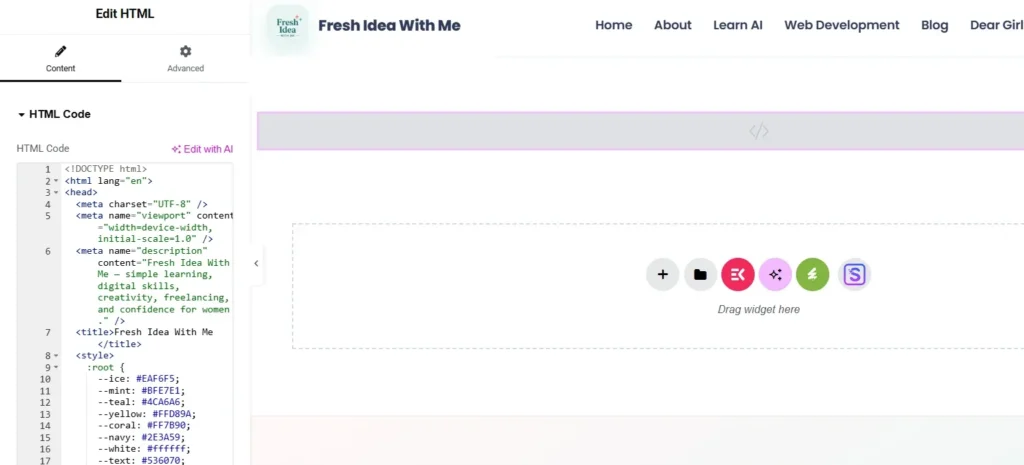
Before: my old home page was one big HTML code box.
How I Talked to the AI (in My Own Simple Words)
I did not write fancy prompts. Instead, I wrote the way I talk, in simple English and Roman Urdu. For example, one of my very first messages was something like this:
“Make a new page called Home2. Build the whole page in Elementor, fix the mistakes from the old page and add some 3D animation. I want to edit everything myself.”
Then the AI got to work. First, it read my old page and picked up my brand colors and fonts. After that, it rebuilt every section as real Elementor widgets. Finally, I opened the page, checked it and gave my feedback, just like I would with a team member.
Tip: talk to AI the way you would explain a task to a friend. Clear and simple beats fancy every time.
My Night Building a Website With AI, Hour by Hour
Here is roughly how my night of building a website with AI went, on 20 October 2026. A date I will always remember! Spoiler: I did not sleep much!
The very first Elementor page is ready, with floating 3D shapes.
Brand colors, bigger headings and my four-point sparkles are fixed.
Web Development, Learn AI, About and Dear Girls pages are built.
Header, footer, newsletter form and mobile checks are done.
SEO is done, and every page turns green.
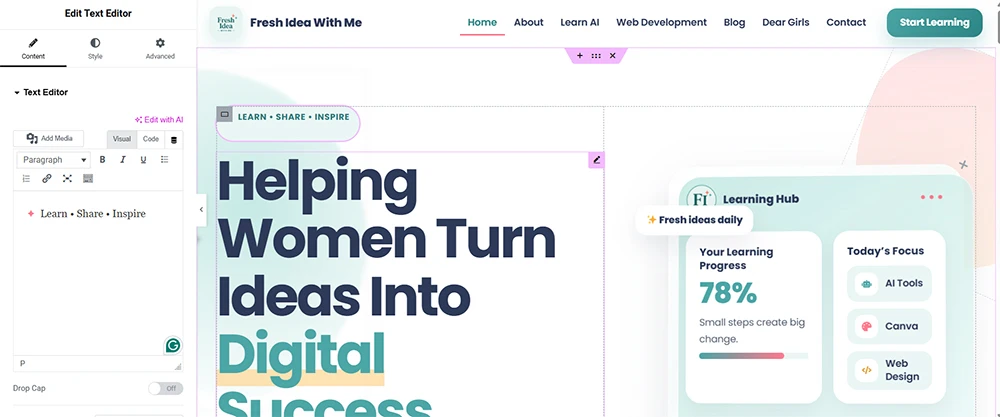
After: every section is now a real Elementor widget that I can edit myself.
What Went Wrong (and Made Me Laugh)
Of course, not everything was perfect on the first try. These were my favorite little mistakes:
The Wrong Stars
My logo uses soft four-point sparkles, but the AI first added five-point stars. I sent a screenshot, and it fixed them everywhere in minutes.
Too Much Pink
I asked to try a pink box. It looked sweet in my head, but not on the screen. So we went back to navy blue. Trying is how you learn!
Orange SEO Scores
At first, some pages showed orange SEO scores. Then I used Yoast SEO, which I know well, fixed a few small things, and every page turned green.
None of these were big problems. However, they taught me something important about building a website with AI: AI makes mistakes too. That is why you always need to look, check and give feedback.
The Honest Truth: A Website With AI Still Needs You
Speed from AI, quality from your own skills.
Here is something I want every beginner to know. The AI worked very fast, but it did not decide what looks good. I did. My years of web design experience helped me spot what was wrong, choose the colors and say, “No, make it bigger” or “This does not feel like my brand.”
So if you want to build a website with AI, learn the basics too. AI will give you speed. Your skills will give you quality. Together, they are a real superpower.
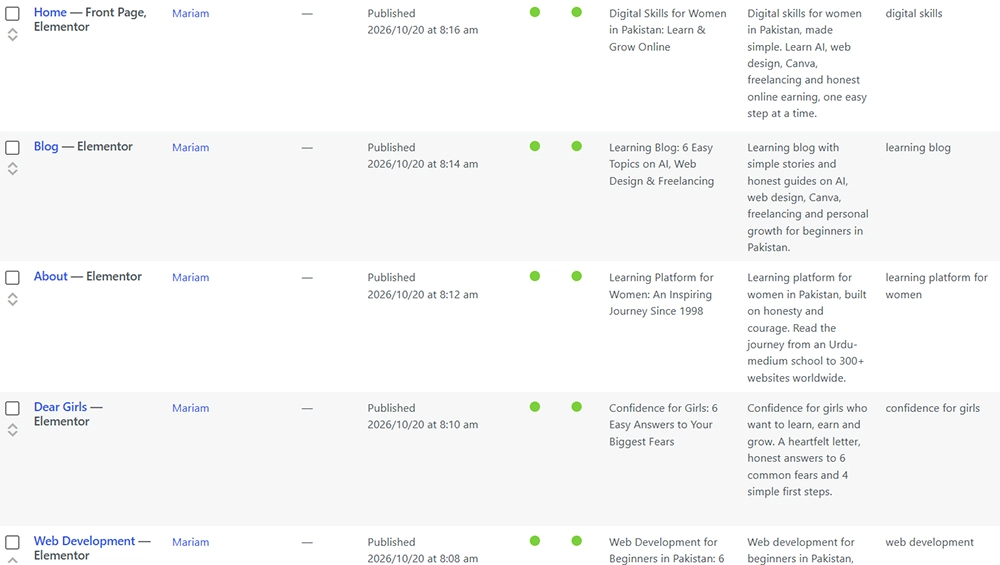
By morning, every page turned green in Yoast SEO.
How You Can Build a Website With AI Too
You do not need to be an expert to start. Just follow these four simple steps:
Learn the Basics First
Understand WordPress and a page builder like Elementor, so you know what to ask for.
Prepare Your Brand
Keep your logo, colors and a few words about your goal ready before you start.
Talk, Check, Improve
Give the AI one task at a time, check the result and ask for changes. Also, always test on mobile.
Do the Final Check Yourself
Read every page, fix the text in your own voice, and only then publish.
Want to go step by step? Read our Learn AI guide and our web development for beginners path. You can also read my story to see where this journey started.
Final Thoughts on My Website With AI
One night, one cup of chai (okay, maybe three) and one AI helper. That is all it took to give Fresh Idea With Me a fresh new look.
If I can build a website with AI, starting from an Urdu-medium school and very weak English, then you can too. Start small, stay curious and keep learning.
With love,
Mariam
Share Your Story
Your Turn! 💬
Have you ever tried building something with AI? Or what would you love to create with it? Tell me in the comments below. I read every single one!